> ## Documentation Index
> Fetch the complete documentation index at: https://docs.classform.net/llms.txt
> Use this file to discover all available pages before exploring further.
# 신청하기
> 클래스폼에서 신청하는 방법을 안내합니다.
## 센터 접속
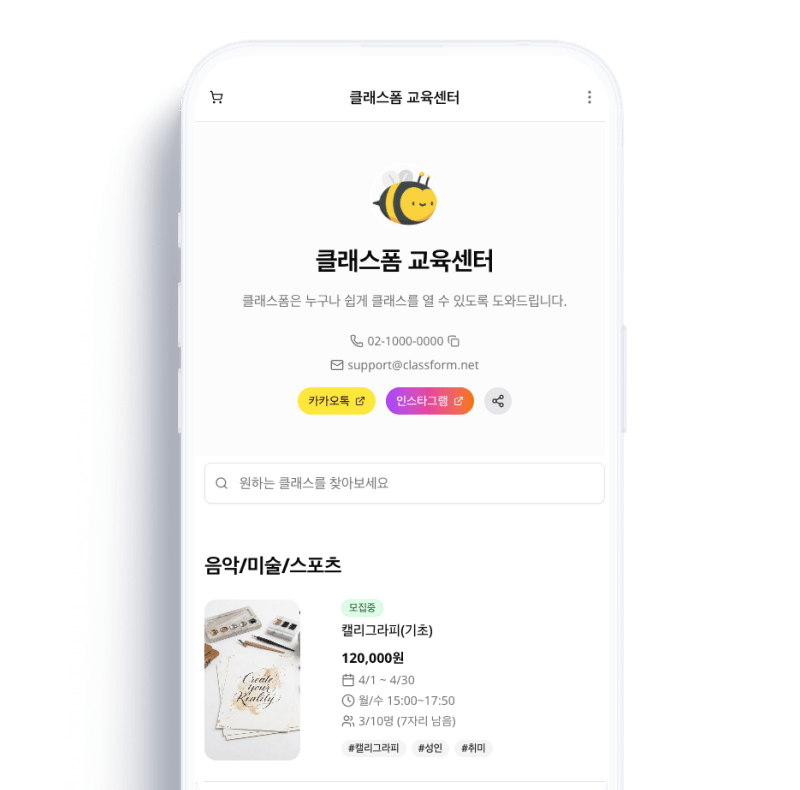 센터에서 안내받은 주소(`classform.net/center/센터이름`)로 접속하면 클래스 목록을 확인할 수 있습니다.
***
## 클래스 선택 및 장바구니
센터에서 안내받은 주소(`classform.net/center/센터이름`)로 접속하면 클래스 목록을 확인할 수 있습니다.
***
## 클래스 선택 및 장바구니
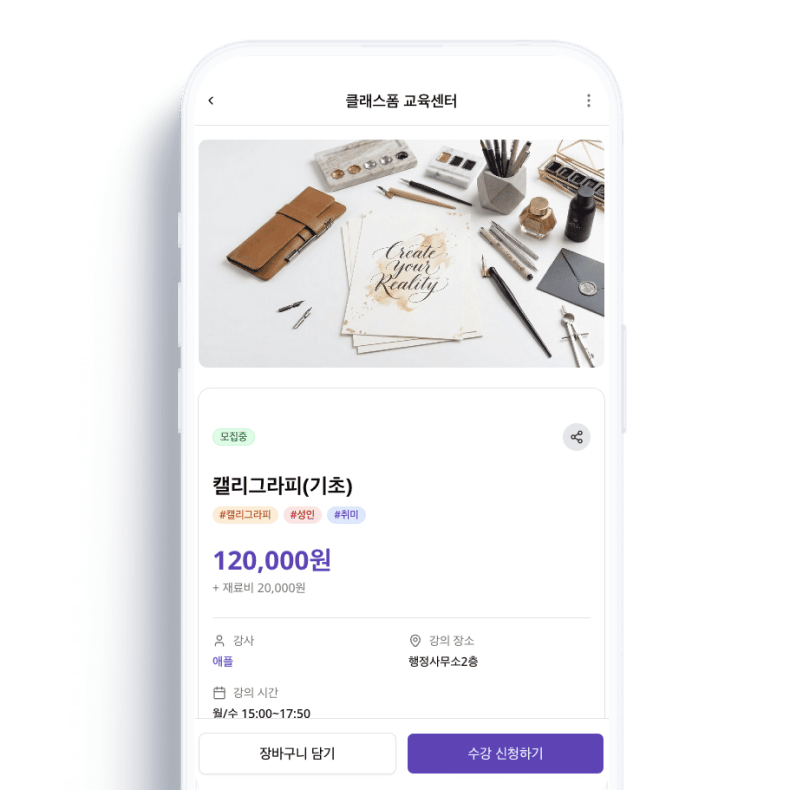 원하는 클래스의 \[신청하기]으로 바로 신청하거나, \[장바구니 담기]로 여러 클래스를 한번에 담은 후 신청할 수 있습니다.
장바구니는 현재 사용 중인 기기에만 저장됩니다. 다른 기기에서는 장바구니 내용이 보이지 않습니다.
***
## 주문서 작성
원하는 클래스의 \[신청하기]으로 바로 신청하거나, \[장바구니 담기]로 여러 클래스를 한번에 담은 후 신청할 수 있습니다.
장바구니는 현재 사용 중인 기기에만 저장됩니다. 다른 기기에서는 장바구니 내용이 보이지 않습니다.
***
## 주문서 작성
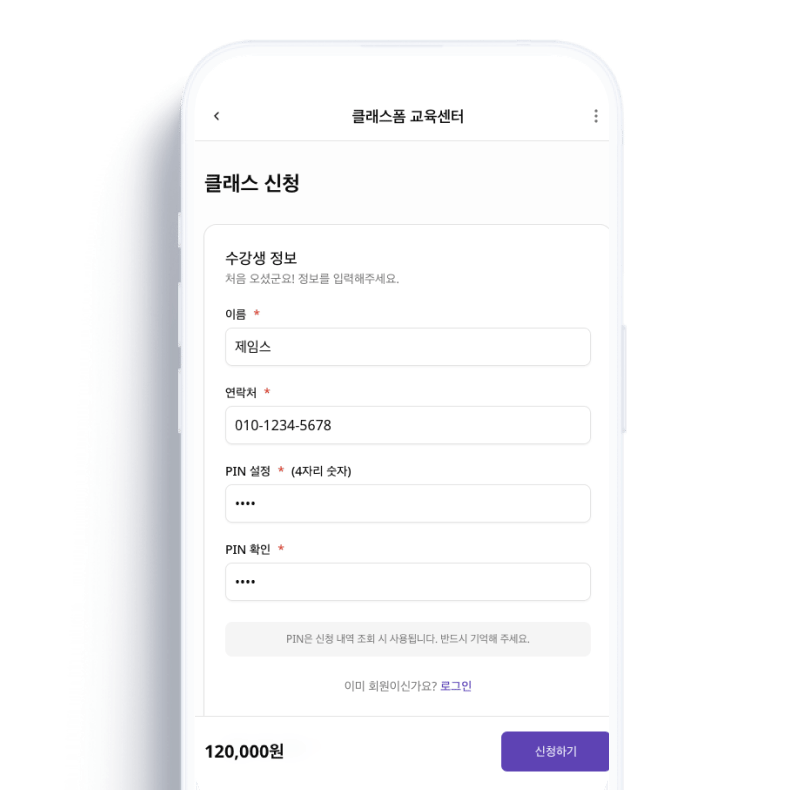 해당 클래스에 신청한 적이 있다면 \[로그인] 후 이용할 수 있습니다. 처음 신청하는 경우 별도 로그인 없이 신청 폼을 작성합니다.
**신청인과 신청자가 다를 수 있습니다.** 예를 들어 부모님이 자녀를 대신하여 신청하는 경우, 신청인에 부모님 정보를, 신청자에 자녀 정보를 입력하면 됩니다.
***
## 신청 완료 및 입금 안내
해당 클래스에 신청한 적이 있다면 \[로그인] 후 이용할 수 있습니다. 처음 신청하는 경우 별도 로그인 없이 신청 폼을 작성합니다.
**신청인과 신청자가 다를 수 있습니다.** 예를 들어 부모님이 자녀를 대신하여 신청하는 경우, 신청인에 부모님 정보를, 신청자에 자녀 정보를 입력하면 됩니다.
***
## 신청 완료 및 입금 안내
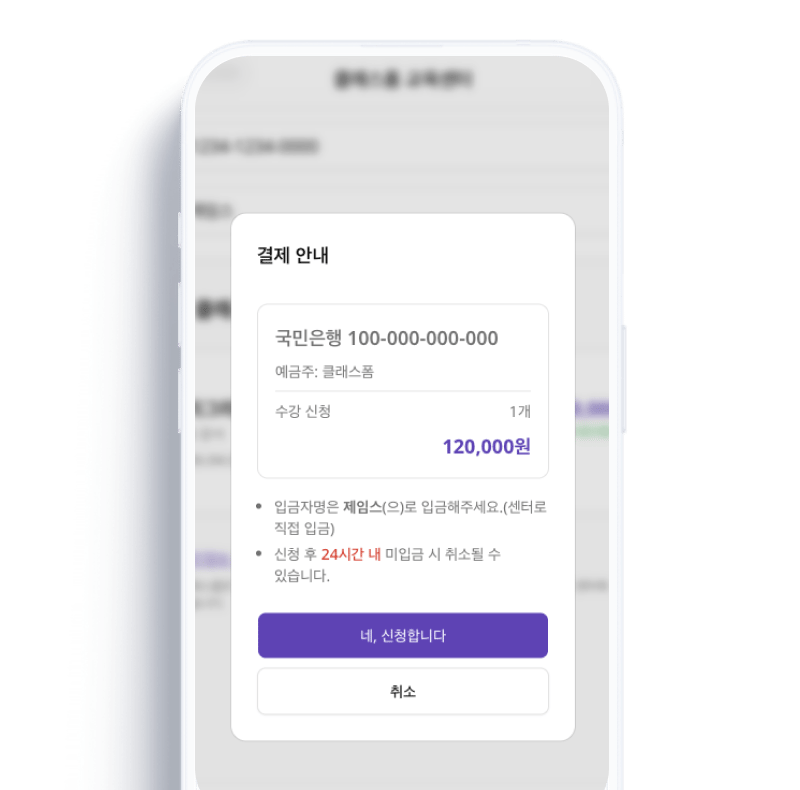 신청이 완료되면 입금할 계좌와 금액이 안내됩니다. 안내된 계좌로 비용을 입금하면 센터에서 확인 후 신청이 확정됩니다.
비용이 무료인 클래스는 신청 즉시 자동으로 확정 처리됩니다.
***
## 입금 확인 요청
신청이 완료되면 입금할 계좌와 금액이 안내됩니다. 안내된 계좌로 비용을 입금하면 센터에서 확인 후 신청이 확정됩니다.
비용이 무료인 클래스는 신청 즉시 자동으로 확정 처리됩니다.
***
## 입금 확인 요청
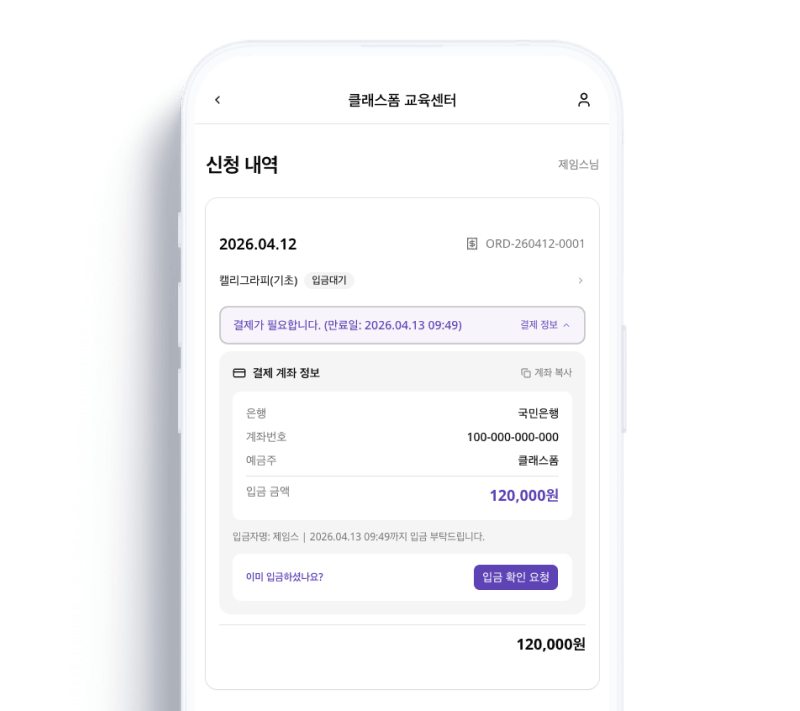 신청 내역에서 신청한 클래스를 확인할 수 있습니다. 입금을 하면 센터운영자에게 \[입금 확인 요청]을 해주세요. 센터운영자가 보다 빠르게 확인 후 처리할 수 있습니다.